

Obtain your API credentials
Once your application is created in the Developer Console, select it to find its API Key, User ID, and Account ID.Where to find them: the Developers page, inside the application you created. These credentials power API key authorization — primarily administrative calls and generating user access tokens.
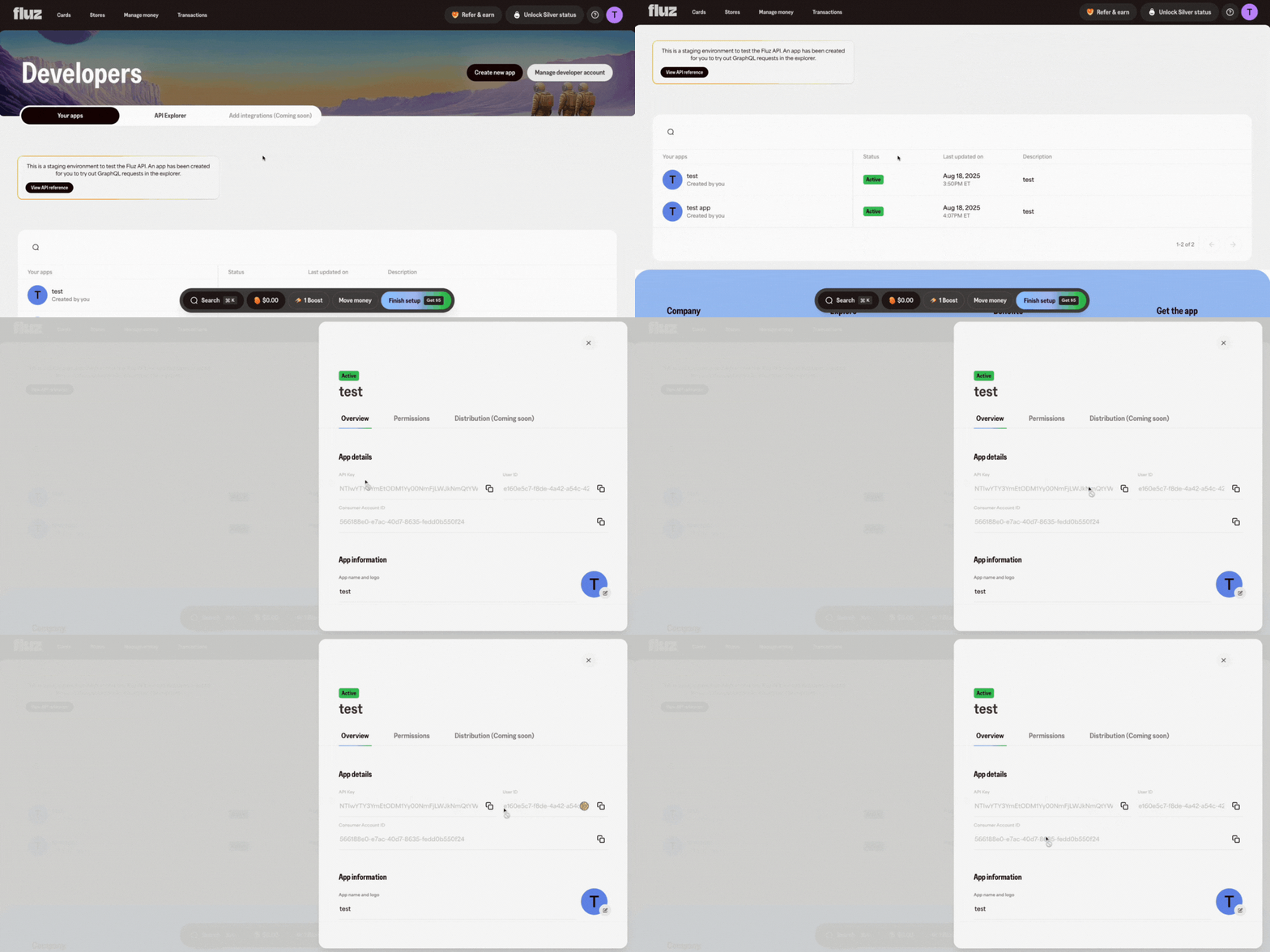 Every Fluz API request uses a user access token in the
 Authorization header. You mint the token by calling the generateUserAccessToken mutation with your API Key in the Authorization: Basic <API_KEY> header, passing the User ID and Account ID from the console as arguments.
Generate an access token
Select
refreshToken explicitly. If you request only token and scopes, you never receive one, and your only option when the access token expires is to mint a new one from scratch. See Refresh an expired access token.Identifying the user
scopes is the only always-required argument. Identify the user in one of two ways:
UUID
For applications operating on your own account. Both values are shown on your application in the Developer Console.
String
For OAuth applications operating on a customer’s account — your own identifier for that user, the same value passed as
external_id during the OAuth authorization flow. When you provide it, userId and accountId are optional. See Client-facing OAuth grant flow.UUID
Optional. Selects which seat transacts. Defaults to the most recently created seat.
Use the token
Attach the token to every GraphQL request against the transactional graph:If the token request returns 401
A rejected API key returns the same message whether it is unknown, malformed, or from the wrong environment:403 naming the status instead: Application <app_id> is not in a valid status: <STATUS>.
Work through these in order.
You are using credentials from the wrong environment
You are using credentials from the wrong environment
This is the most common cause. Staging and live have separate applications and separate credentials — a key created in one is unknown to the other, and the error looks identical either way.Check where you created the application:
A live key sent to the staging endpoint fails here, and the reverse is also true. If you only have a live application, register a second one in staging.
The API key does not match the application
The API key does not match the application
Your API key is a base64-encoded If the key was regenerated in the console, older copies stop working immediately.
app_id:app_secret pair. Copy it whole from the console rather than reassembling it, and do not base64-encode it again — it is already encoded. Send it verbatim:The application is not in an accepted state
The application is not in an accepted state
Applications only authenticate while active. A deleted application is indistinguishable from a bad key — the same
401 comes back. A disabled application is the one case that looks different: the response is a 403 with Application <app_id> is not in a valid status: <STATUS>. Confirm the application still exists in the console for the environment you are calling and has not been disabled.The userId or accountId belongs to a different application
The userId or accountId belongs to a different application
userId and accountId must be the values shown on the same application as the API key. Mixing IDs from one application with the key from another fails.Mint a new token before expiry
Access tokens are short-lived. Mint a new one before the current one expires — don’t wait for a401. See Refresh an expired access token for the exact call, and Authentication for the full flow, including OAuth grants for customer-scoped tokens.
Next steps
Quickstart: your first gift card purchase
Run the full happy path end to end — deposit funds, buy a gift card, and reveal it in the sandbox.
Replace an expired token
Mint a fresh access token when the current one expires.